.png)
What is Polymarket (predictions)?
Polymarket is a decentralized prediction market platform where users trade on the outcomes of real-world events. In Atomic Wallet, you can access Polymarket directly and interact with prediction markets in a built-in interface.
Polymarket is unavailable in certain countries and regions due to regulatory restrictions and compliance requirements, including international sanctions. The complete list of restricted jurisdictions can be found on the official Polymarket website.
Contents
- Overview
- How it works
- How to use Polymarket in Atomic Wallet
- Requirements
- Risks
- Security tips
- FAQ
- Important
Overview
Polymarket is a blockchain-based prediction market where users trade on the probability of real-world events — such as crypto prices, politics, sports, and global news.
Instead of placing traditional bets, users buy and sell outcome shares. Each share represents the probability of an event and is priced in $.
The platform operates on a non-custodial model, meaning you always control your funds through your wallet. Your balance is held on a Polymarket proxy account and can be withdrawn back to your wallet at any time.
How it works
Each market is based on a clear question (for example: "Will Bitcoin hit $150K?").
- You can buy Yes or No shares (or, for Live events, predict Up or Down);
- If your outcome is correct, each share pays out $1;
- If incorrect, the shares become worthless.
Prices change in real time based on supply and demand, allowing you to enter and exit positions before the final result.
The percentage shown on each outcome reflects the market's current expectation. A lower probability means a higher potential reward — for example, a $30 bet on a 36% chance outcome pays out $83.33 if correct.
For Live events (such as "Bitcoin Up or Down"), the market resolves within minutes. You'll see a real-time price chart, a countdown timer, and Up/Down buttons instead of Yes/No.
How to use Polymarket in Atomic Wallet
Interface overview
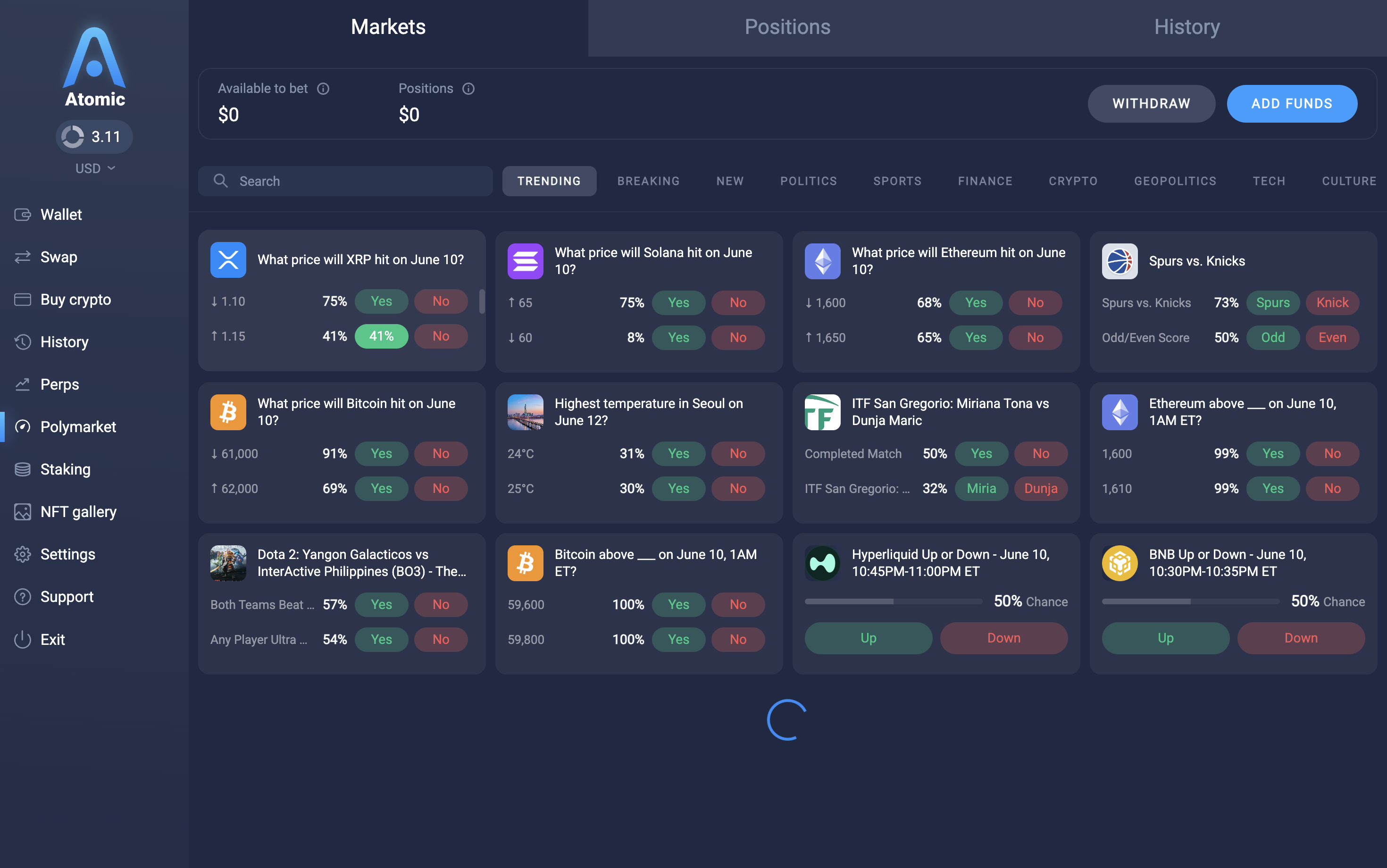
In Atomic Wallet, Polymarket is available in the left sidebar under the Polymarket tab. The main screen has three sections at the top: Markets, Positions, and History.
At the top of the Markets view you'll see:
- Available to bet — your trading balance, ready to use;
- Positions — the current market value of your open positions;
- Withdraw and Add Funds buttons.
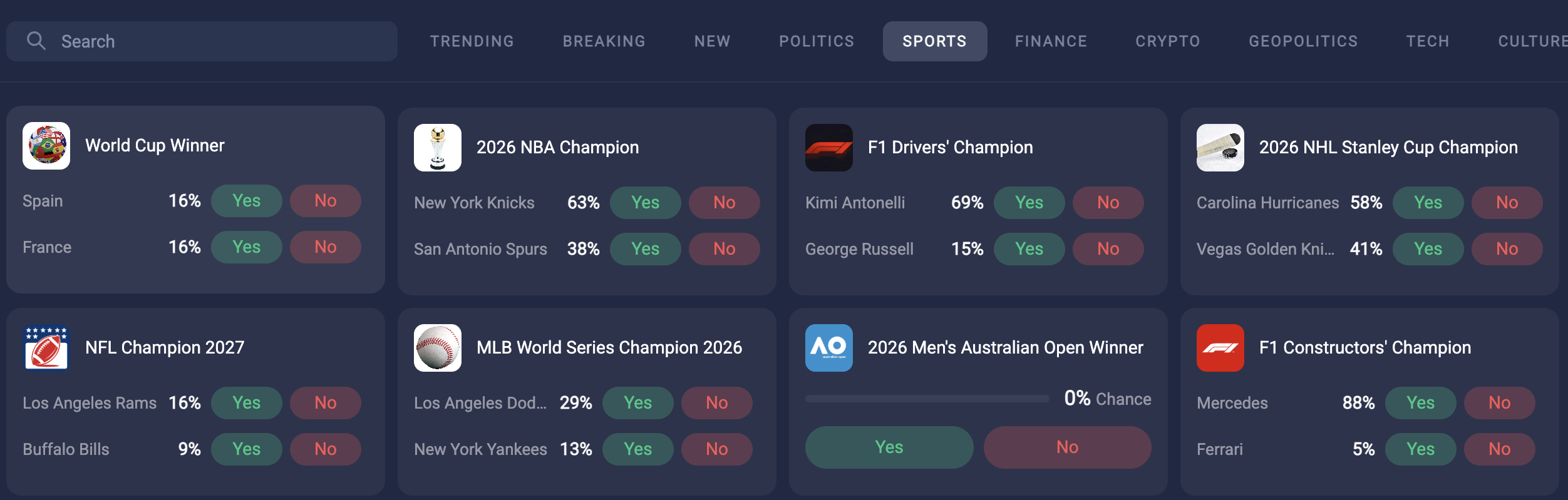
Below that, events are organized into categories: Trending, Breaking, New, Politics, Sports, Finance, Crypto, Geopolitics, Tech, and Culture. You can also use the search bar to find a specific market.
Step 1. Add funds (Deposit)
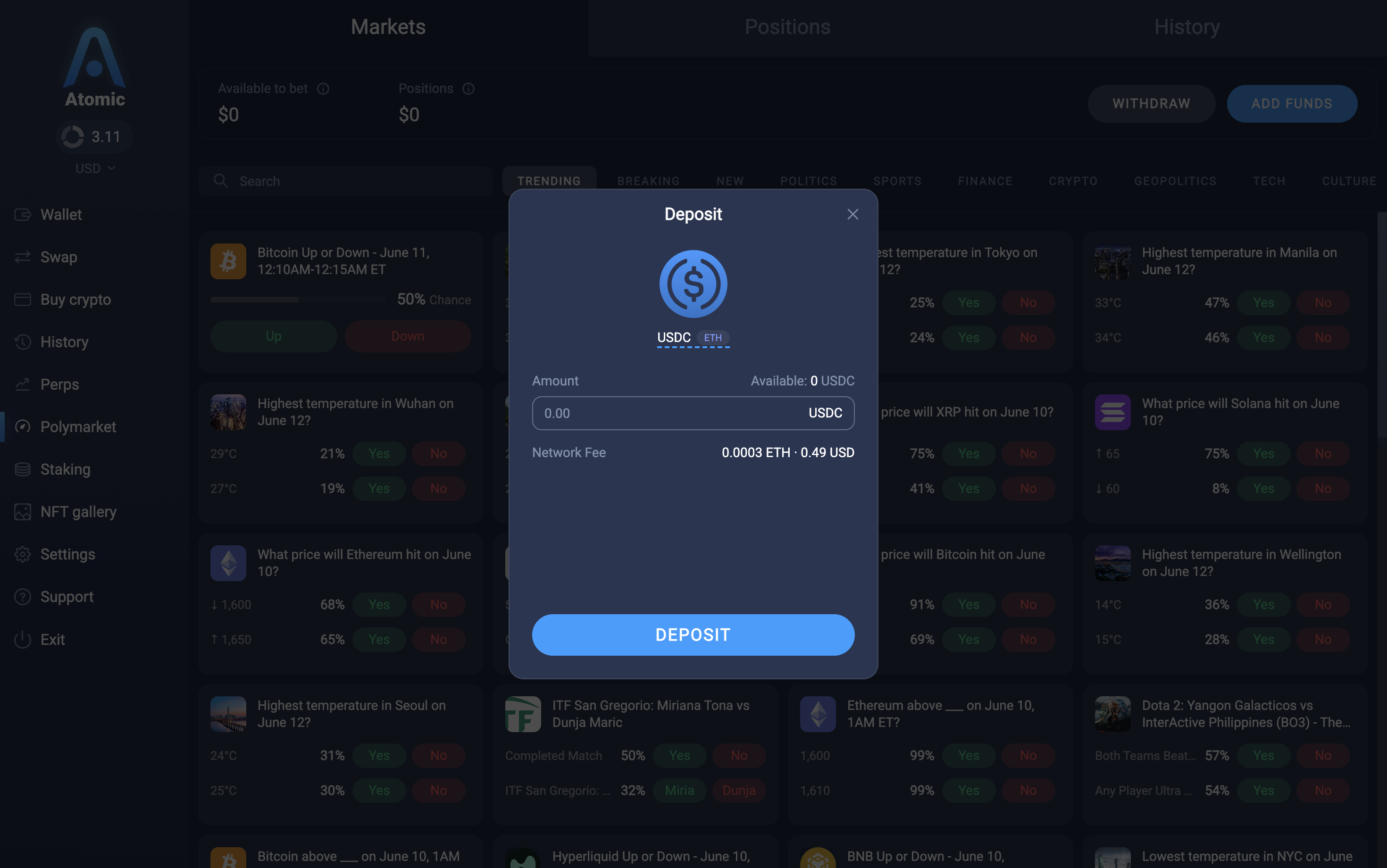
- Click Add Funds in the top right corner;
- In the Deposit modal, select the token — USDC or ETH;
- Enter the amount you want to deposit;
- Review the Network Fee and click Deposit.
Once the transaction is confirmed, your balance will update automatically.
Note: Your funds are held on your Polymarket proxy account — not in your main wallet balance. You can withdraw them back at any time.
Step 2. Browse and select a market
- Browse events by category or use the search bar;
- Click on an event card to open it.
Each event page shows the list of available outcomes with current probabilities, and a probability chart over time. For multi-outcome events, you'll see up to 4 outcomes with the highest Yes probability. For binary events, you'll see Yes/No buttons. For Live events (e.g. Bitcoin Up or Down), you'll see a real-time price chart, a timer, and Up/Down buttons.
Step 3. Open a position
- Select the outcome you want to bet on (Yes / No, or a specific outcome for multi-outcome events);
- Enter the amount — you can type it manually or use percentage presets (25% / 50% / 100% / MAX);
- The To win field shows your potential payout at the current probability;
- Click BUY YES / BUY NO (or UP / DOWN for Live events).
After a successful purchase, a confirmation appears and your position is visible in the Positions tab.
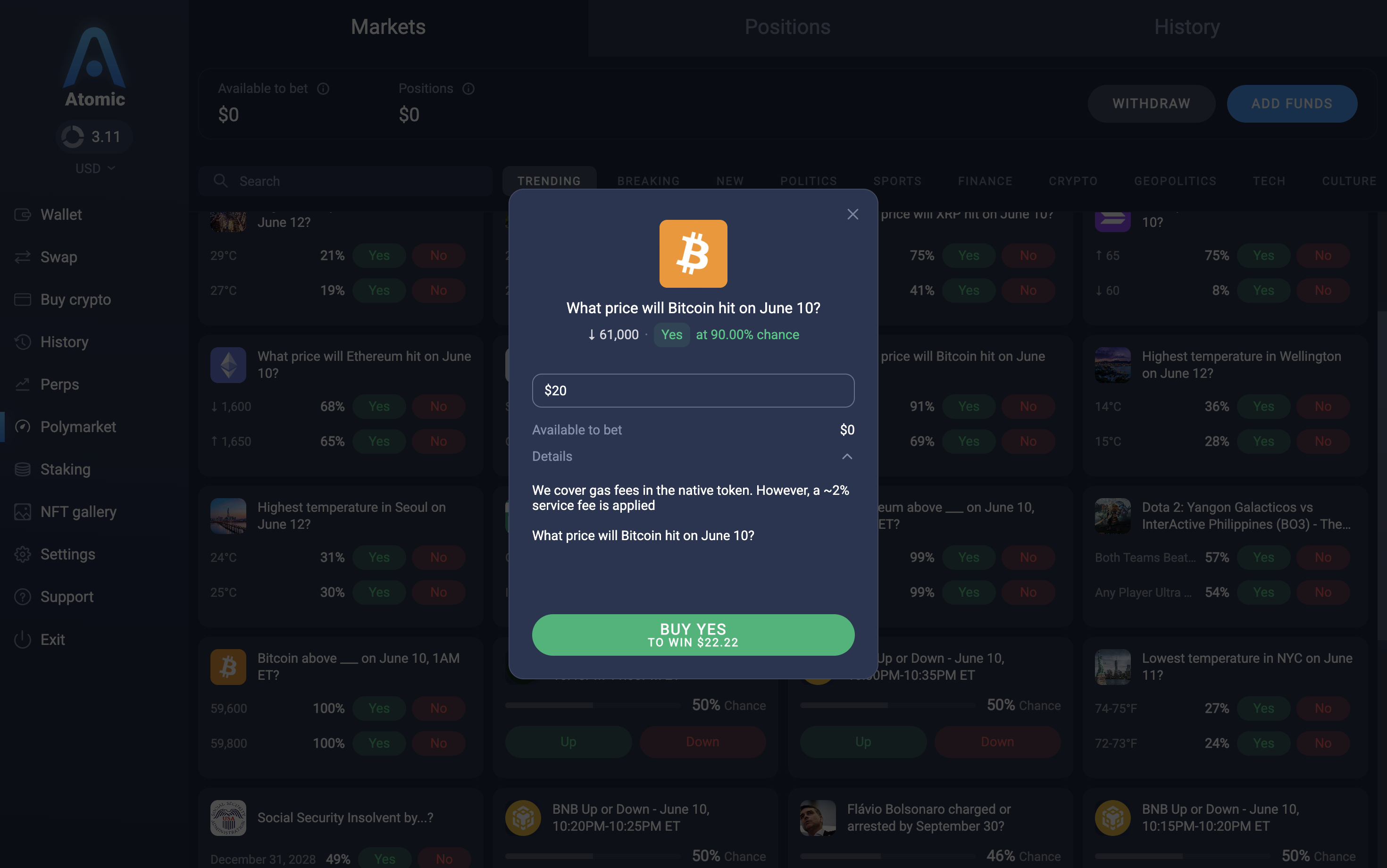
Note: A ~2% service fee is applied when opening a position. Gas fees are covered by Atomic Wallet.
Step 4. Manage positions
Go to the Positions tab to see all your active trades. Each position shows the event name, selected outcome with its current probability, potential payout, and current market value.
You can close a position before the event resolves — click Sell on the position to lock in profit or limit a loss at the current market price.
Once an event resolves and your prediction was correct, a Claim button appears. Click it to receive your winnings to your Polymarket balance.
The History tab shows resolved positions and past deposits/withdrawals.
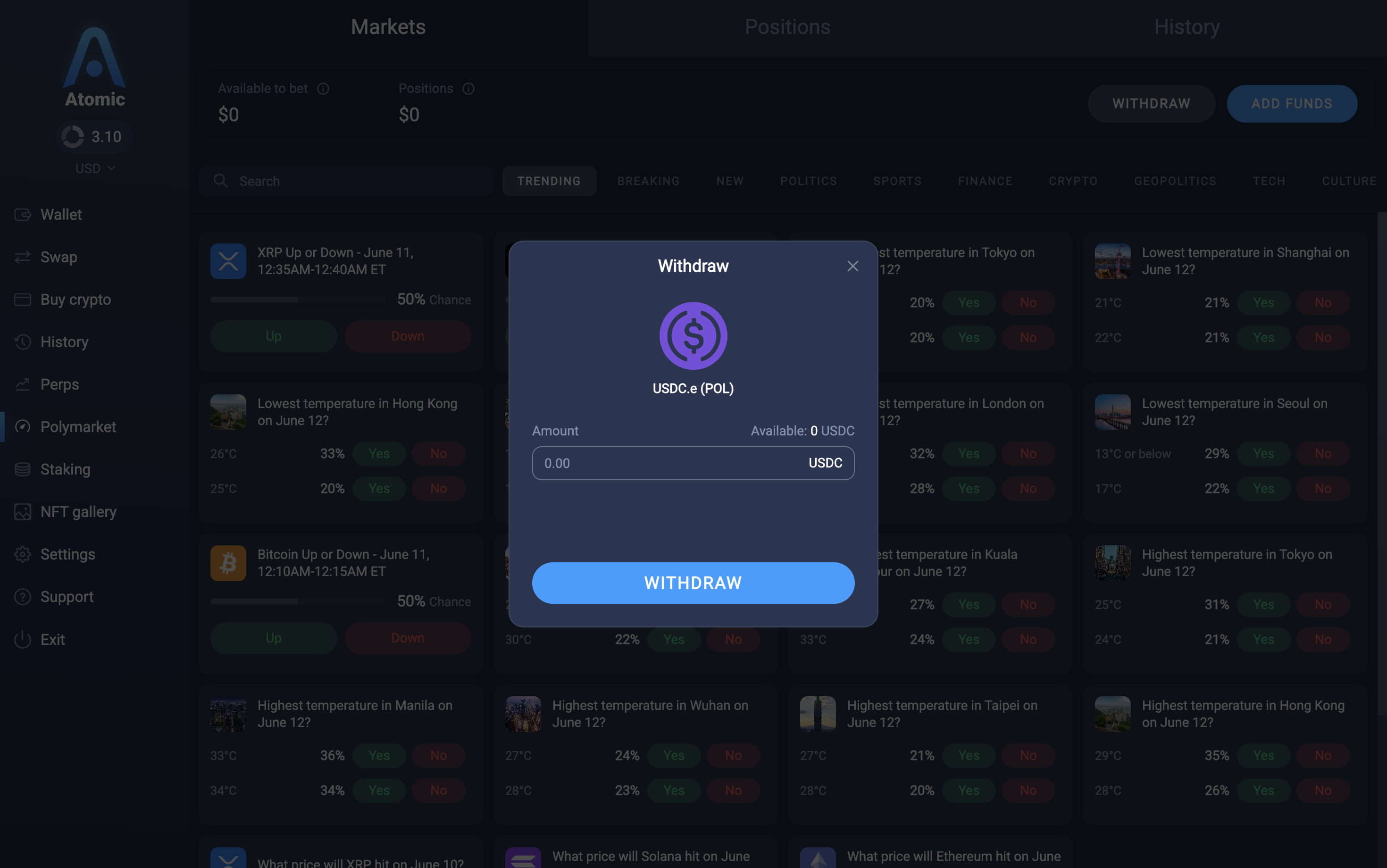
Step 5. Withdraw funds
- Click Withdraw in the top right corner;
- Enter the amount to withdraw or click Send all;
- Click Withdraw — funds will be returned to your main wallet in USDC.e (Polygon).
Interface overview
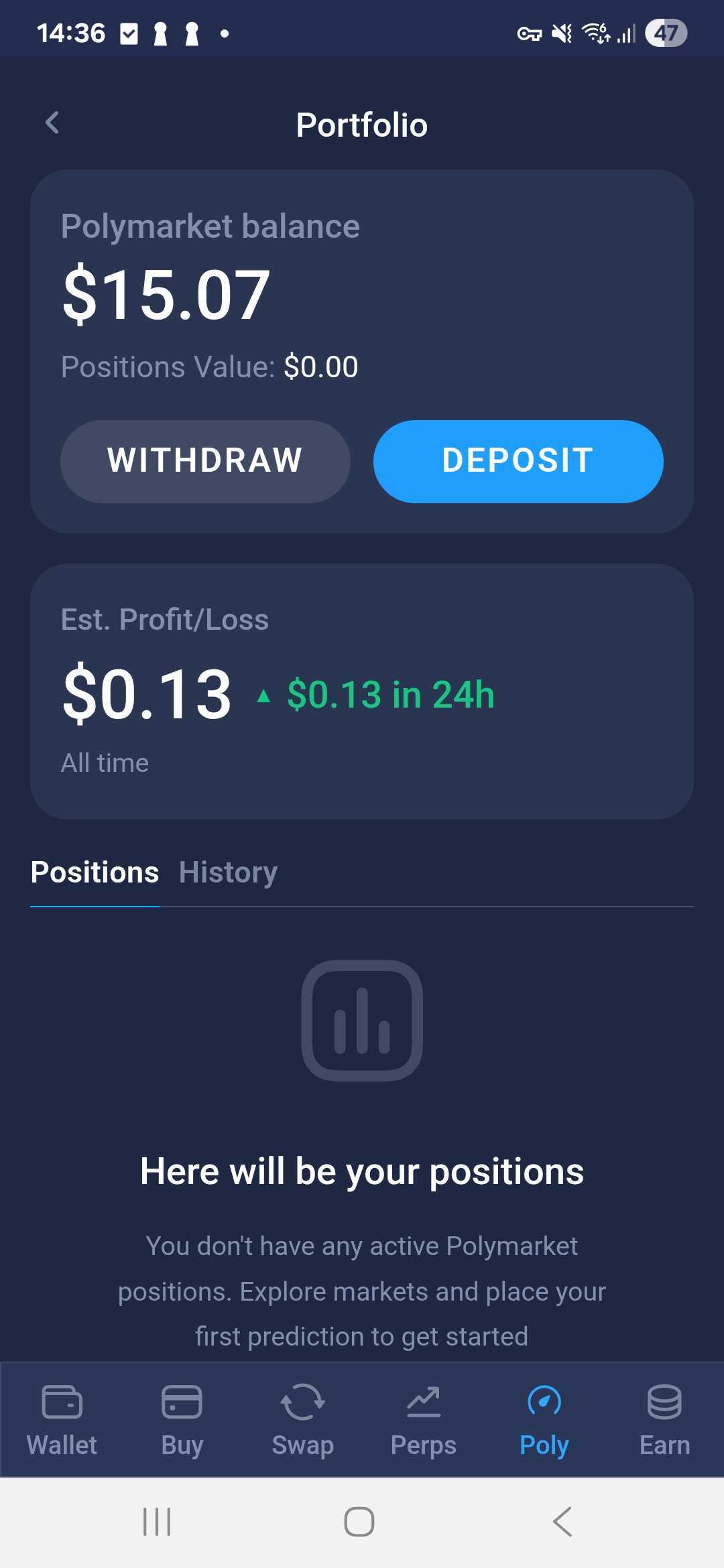
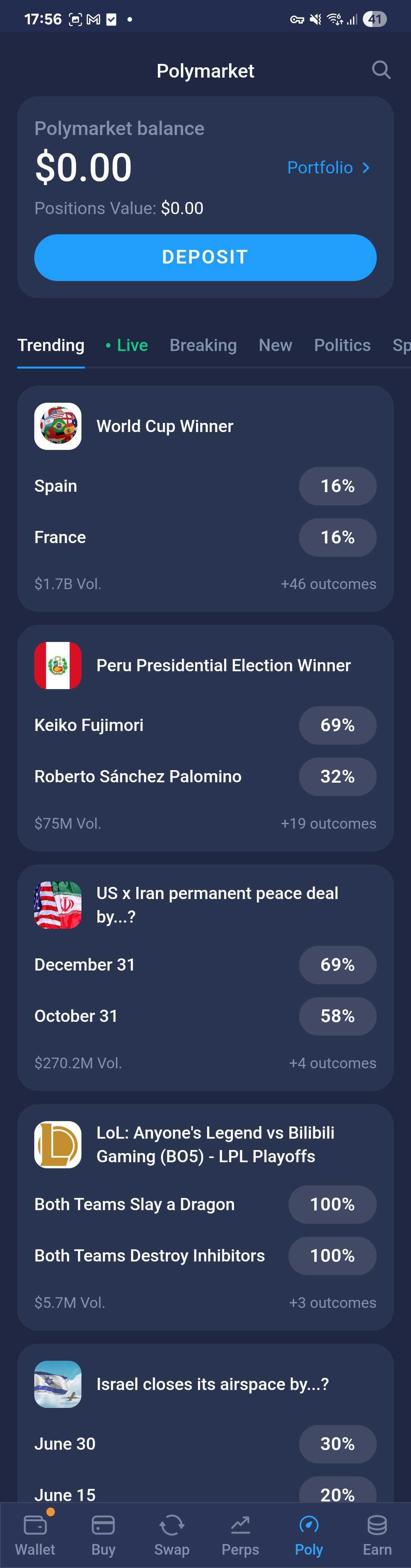
In the mobile app, Polymarket is accessible via the Poly tab in the bottom navigation bar. The main screen shows your Polymarket balance, a Deposit button, and a list of markets organized by category: Trending, Live, Breaking, New, Politics, and more.
Tap Portfolio > in the top right to open your portfolio page, which shows:
- Polymarket balance — available funds on your proxy account;
- Positions Value — current market value of your open positions;
- Est. Profit/Loss — your PnL all time and over the last 24 hours;
- Withdraw and Deposit buttons;
- Positions and History tabs.
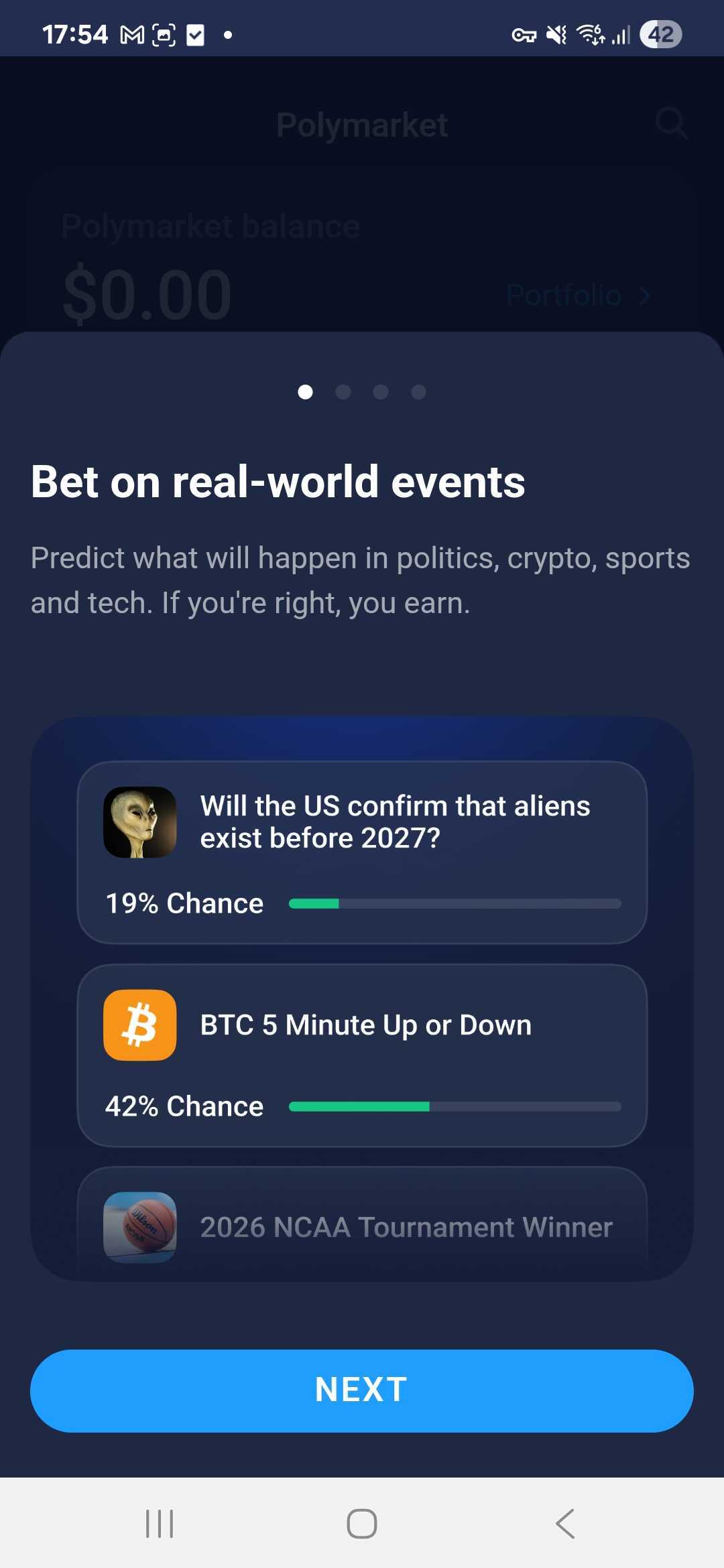
First launch: onboarding
The first time you open the Poly tab, you'll see a 4-screen onboarding that explains how the platform works — how probabilities work, how to lock in profits early, and how to place your first prediction. Swipe through or tap Next, then tap Start on the last screen to proceed to the main markets view.
Step 1. Add funds (Deposit)
- On the main Polymarket screen, tap Deposit;
- Enter the amount in USDC you want to deposit. You can use percentage presets (25% / 50% / 75% / 100% of your available balance);
- Tap Deposit and wait for the transaction to confirm.
If you don't have enough USDC, buttons for Buy USDC and Swap to USDC will appear to help you get funds quickly.
Once confirmed, your balance updates automatically and a push notification is sent.
Note: Your funds are held on your Polymarket proxy account — not in your main wallet balance. You can withdraw them back at any time.
Step 2. Browse and select a market
- On the main screen, browse events by category (Trending, Live, Breaking, New, Politics, etc.);
- Tap on an event to open it.
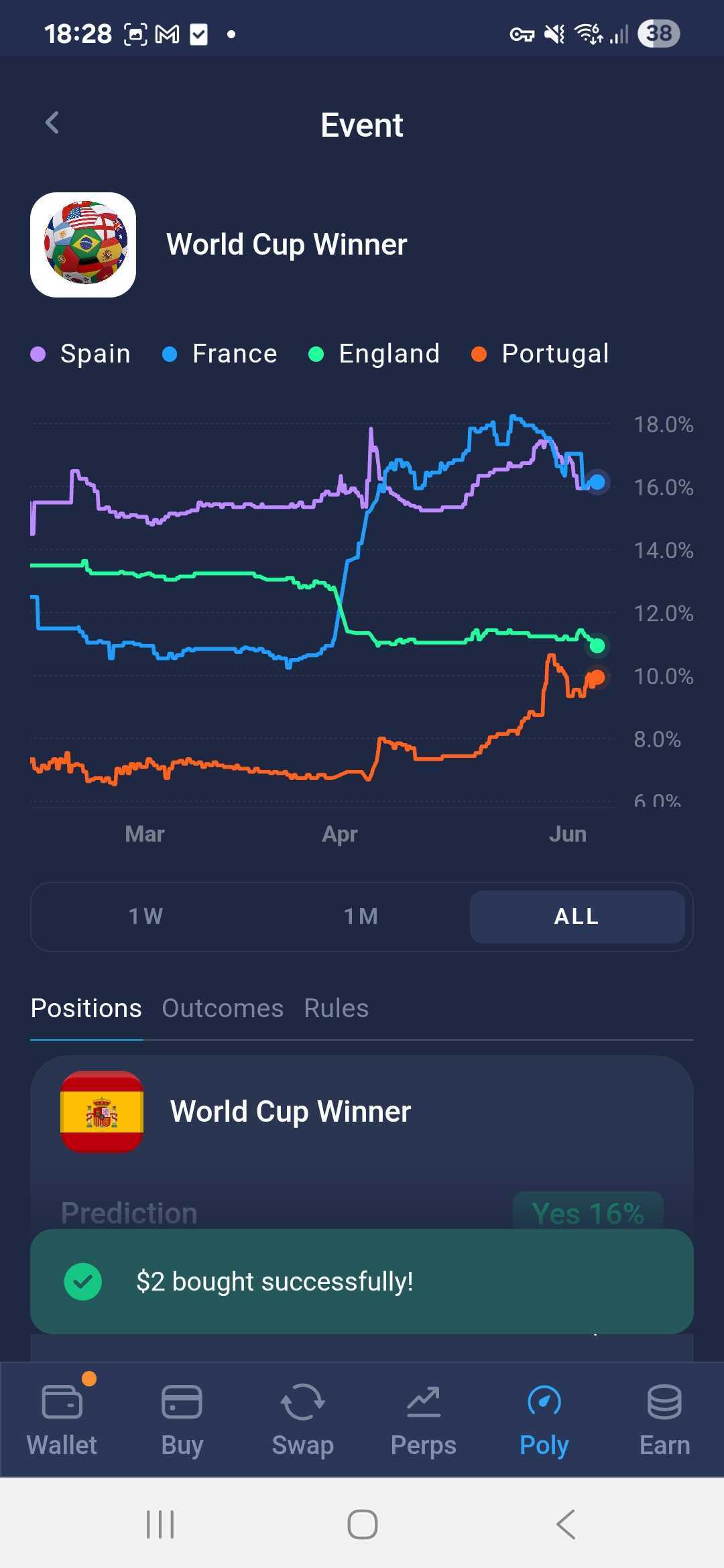
The event page shows a probability chart (up to 4 outcomes for multi-outcome events), and tabs for Positions, Outcomes, and Rules.
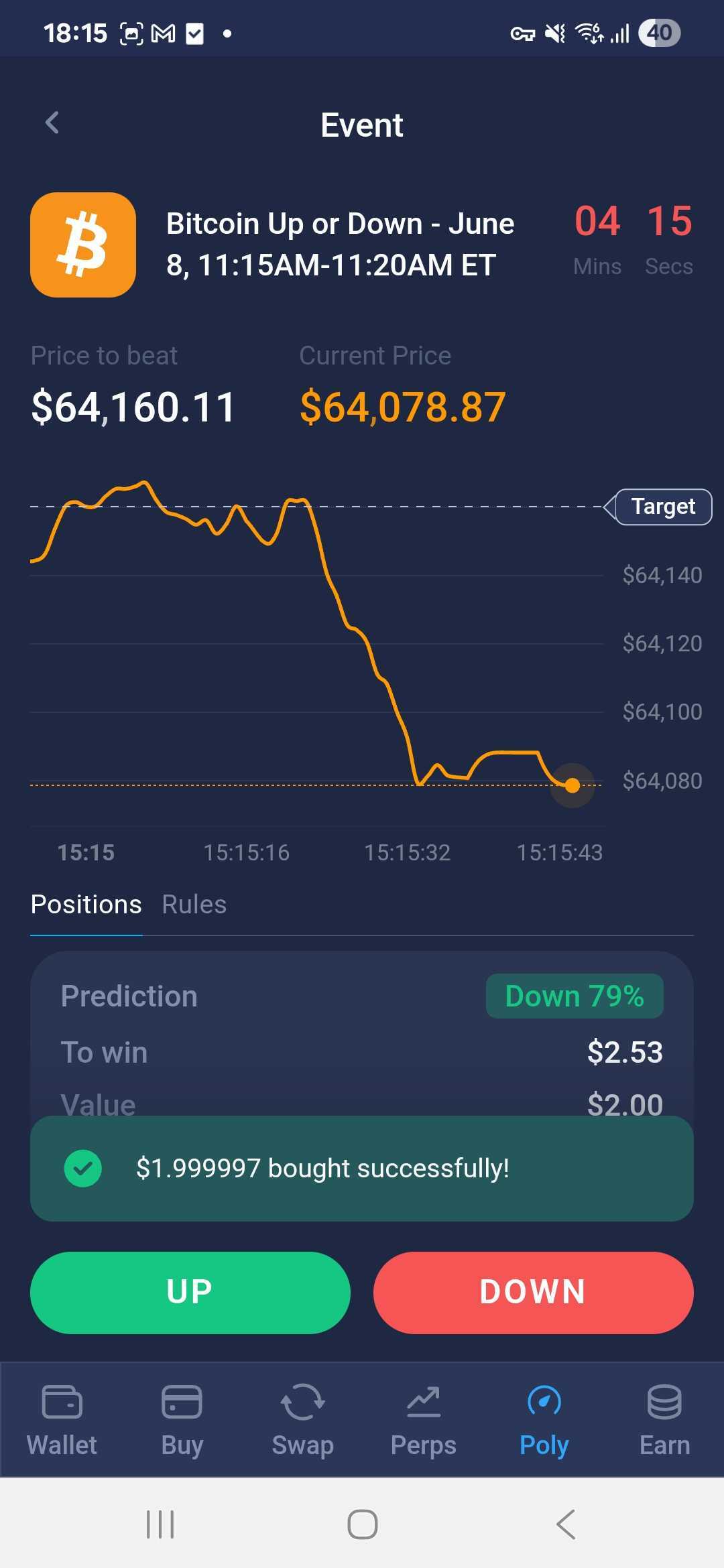
For Live events (e.g. Bitcoin Up or Down), you'll see a real-time Bitcoin price chart, a countdown timer, and UP / DOWN buttons.
Step 3. Open a position
- Select the outcome you want — Yes/No for binary events, or a specific outcome for multi-outcome events. For Live events, tap UP or DOWN;
- Enter the amount (default is $5). Use presets 25% / 50% / 100% / MAX, or tap +/– to adjust by $1, or use the $5/$10/$100 quick buttons;
- The To win field shows your potential payout at the current probability;
- Tap BUY YES / BUY NO (or UP / DOWN).
After a successful purchase, a snackbar shows " $X bought successfully!" and the position appears on the event page under the Positions tab.
Note: A ~2% service fee is applied when opening a position. The minimum bet amount is $5 USDC. If you choose an outcome with less than 1% probability, a warning tooltip will appear: "Too few buyers. Selling position might be difficult."
Step 4. Manage positions
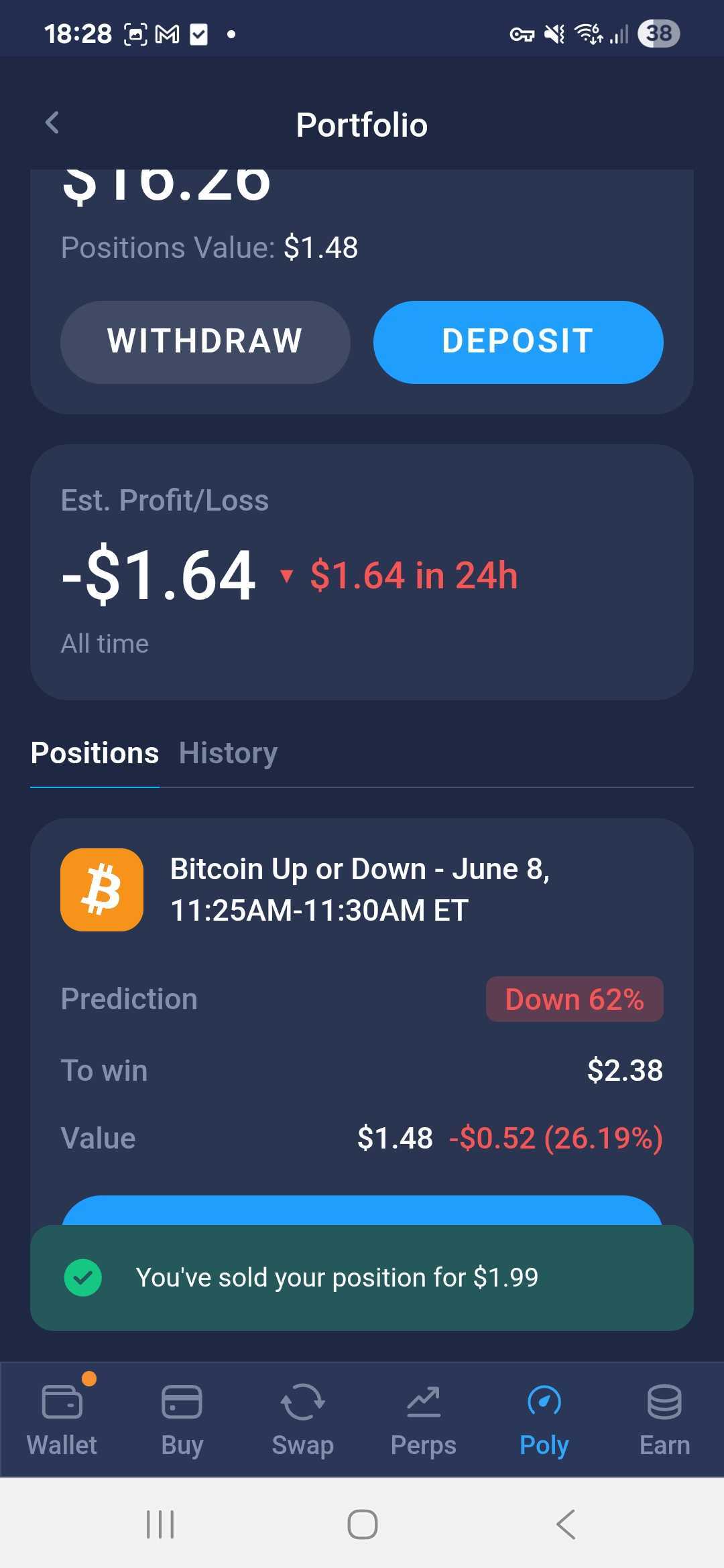
Go to Portfolio to see all your open positions and their current value. Each position card shows the event name, your chosen outcome with its current probability, the potential payout (To win), and the current value of your position and its change over 24 hours.
To close a position early, tap on it — a Sell button appears with the amount you'll receive at the current market price. Confirm the sale; a snackbar shows "You've sold your position for $X".
When an event resolves and your prediction was correct, a Claim button appears. Tap it to receive your winnings to your Polymarket balance.
The History tab shows resolved positions, past deposits, and withdrawals.
Step 5. Withdraw funds
- Go to Portfolio and tap Withdraw;
- Enter the amount to withdraw (by default, 20% of your balance is pre-filled), or tap Send all;
- Tap Withdraw — funds will be returned to your main wallet in USDC.e (Polygon).
Requirements
- Atomic Wallet installed with a created wallet;
- USDC on your wallet balance (for depositing to Polymarket);
- A small amount of ETH (desktop) for network fees on deposit — gas fees on positions are covered by Atomic Wallet;
- Access from a supported region;
- Internet connection.
Risks
- Speculative nature: outcomes are uncertain;
- Market volatility: probabilities can change quickly;
- Liquidity risk: some markets may have low activity, making it difficult to sell a position early;
- Regulatory limitations: availability depends on your region;
- Market resolution risk: outcomes depend on predefined rules and data sources.
Security tips
- Use only the official Polymarket interface inside Atomic Wallet;
- Always verify transactions before confirming;
- Never share your private keys or 12-word backup phrase;
- Be aware that all activity is visible on-chain.
Because Polymarket is non-custodial, you remain in full control of your funds, but also fully responsible for your actions.
FAQ
What fee does Atomic Wallet charge? A ~2% service fee is applied when you open a position. Gas fees for transactions are covered by Atomic Wallet — you don't need to hold any gas tokens.
What token is my Polymarket balance held in? Your balance is stored in USDC.e (Polygon) on your Polymarket proxy account.
What is Positions Value? The current market value of all your open positions — it changes in real time as probabilities shift.
Can I sell a position before the event ends? Yes. While an event is active, you can sell your position at any time at the current market price.
What happens if my transaction is pending? A "Pending" status is shown next to your balance. Wait for blockchain confirmation. If it takes more than 30 minutes, contact support.
What is the minimum bet amount? The minimum bet is $5 USDC.
Important
Atomic Wallet does not operate or control Polymarket.
All trades are executed on external infrastructure and settled via blockchain smart contracts. Atomic Wallet only provides access to the interface and your funds.
Transactions cannot be reversed, and losses from incorrect predictions are final.
Still have questions?
Reach out to us at support@atomicwallet.io — we're happy to help!